 Up to Best Apps List Return to Previous Page Pixelmator Pro Pixelmator Pro is a medium to high level graphics editor for Mac. It doesn't quite have the feature set of Photoshop or Affinity Photo, but it is easier to use, fast and reliable, and cheaper. I use it to process all of my photos and to create graphics for web sites, like this one. I use Pixelmator Pro in preference to Affinity Photo or Photoshop just because it is simpler and easier to get the basics done. In fact, I don't use Photoshop at all any more, because I don't like Adobe's licensing or the "clunky" user interfaces many of their programs have. Affinity apps are great, but just a bit harder to use when trying to do just the basics. Other tools I find work well are resizing which uses machine learning to make images bigger and smaller, resulting in better images than standard resize algorithms. The repair tool, which removes distracting elements and flaws in an image, is also quite useful, although it sometimes works brilliantly and others not so well. There are also other areas where AI is used, such as removing foregrounds from images, which usually works well. 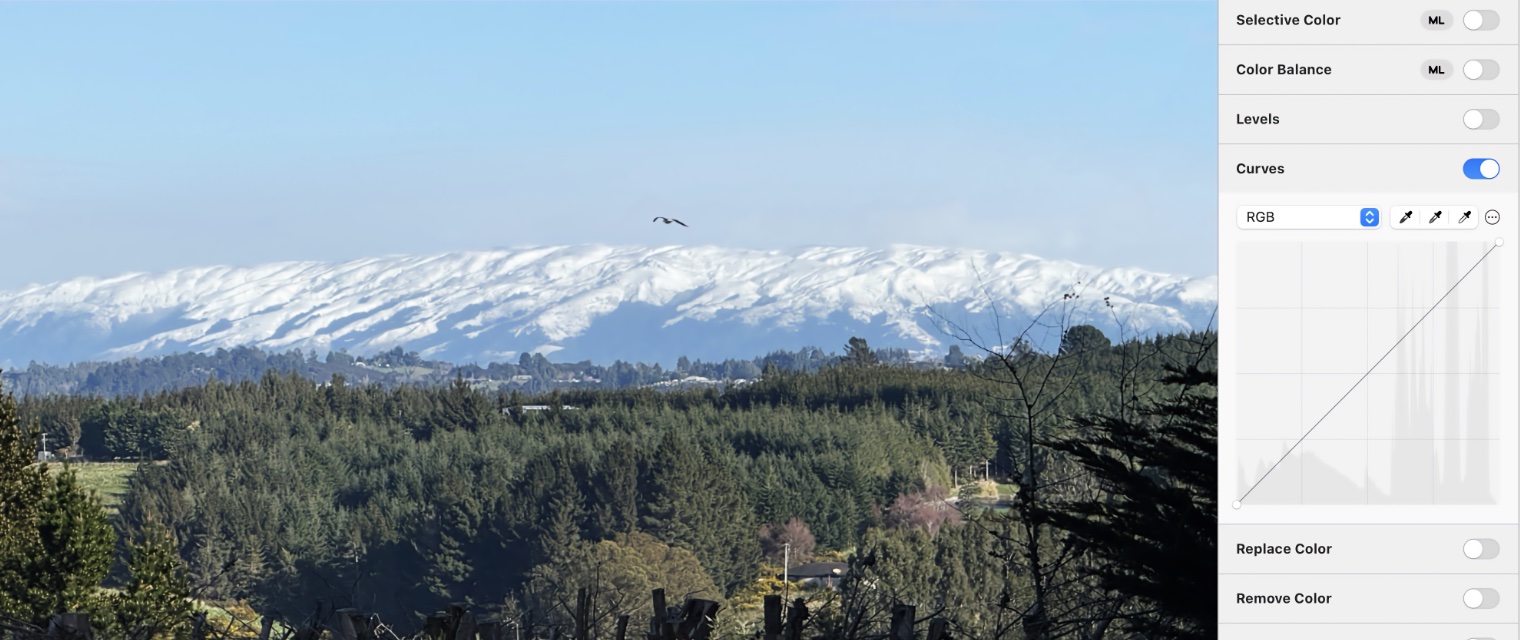 Pixelmator Pro has all the tools you would expect in a graphics program. One that I use a lot is the "curves" tool which allows the user to change the contrast of an image in a non-linear way, for example by increasing the brightness of darker areas without making the bright areas too bright as well. The program can read and write all the file formats you would expect, including Photoshop files, so if you have used Photoshop in the past, but don't need all the features, Pixelmator Pro is a reasonable alternative. Apple recently bought the app from the original developer so I hope that won't slow down its progress. In the past I have contacted the dev team directly asking for a new feature, and got it in the next upgrade. Try that with Apple, Microsoft or Adobe!
| |||||||||||||||||||
 PIXELMATOR PRO